Facebook’s Comments plugin is a great way to operate comments on your blog. It increases social interaction as people’s comments are shared on Facebook as well as on your page, and it reduces problems associated with anonymous commenters.
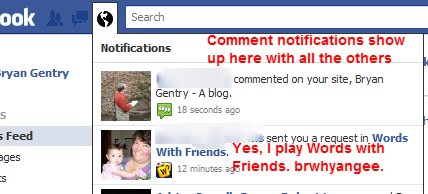
However, Facebook will not, by default, let you know when someone comments on your blog. In most cases, you will want to get notifications so you can maintain some moderation of the comments.
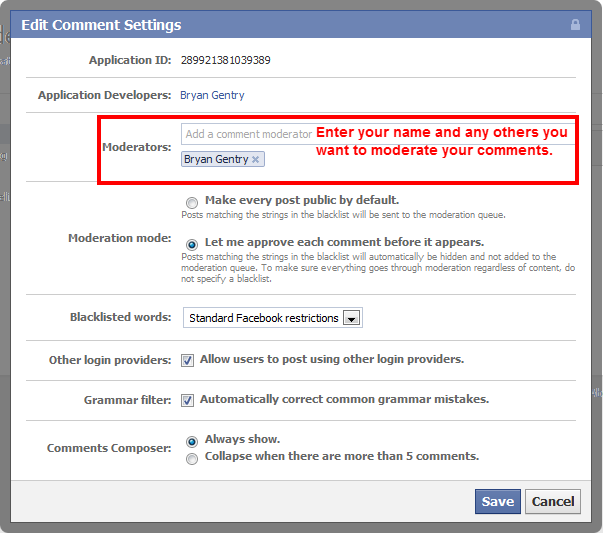
Visit the Facebook Comments Moderation tool page on the Facebook Developers site. Click “Settings” over on the right hand side. This will open some basic settings for your comments box.
You can enter your own name to select your Facebook profile as a moderator. Also, enter any other friends who will be monitoring comments for your site.
Here are the settings I recommend:
No comments:
Post a Comment